Never lose money to an
expired warranty.

Be the person who still has the receipt. wrnty keeps every warranty and expiry date in one place, reminds you before each one runs out, and has the proof ready the moment something breaks.
  • One-time purchase
  • No account needed
  • Private by design
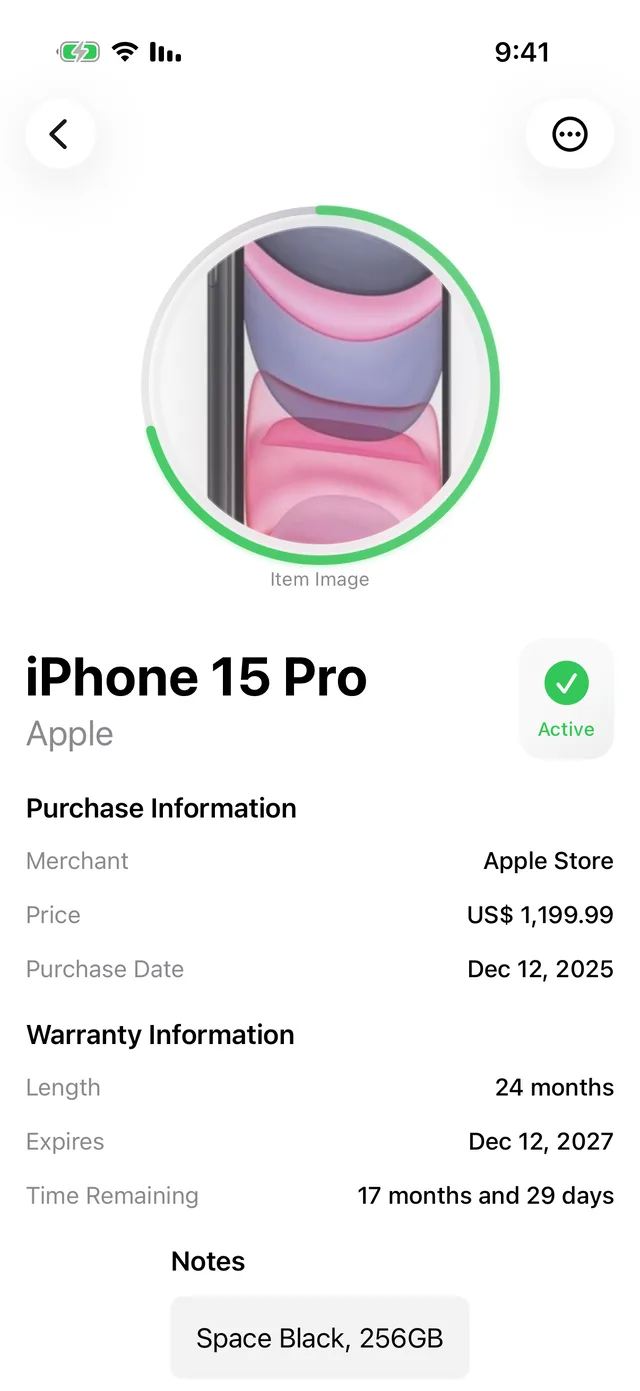
A warranty item detail screen showing an iPhone 15 Pro, its purchase price, dates and time remaining
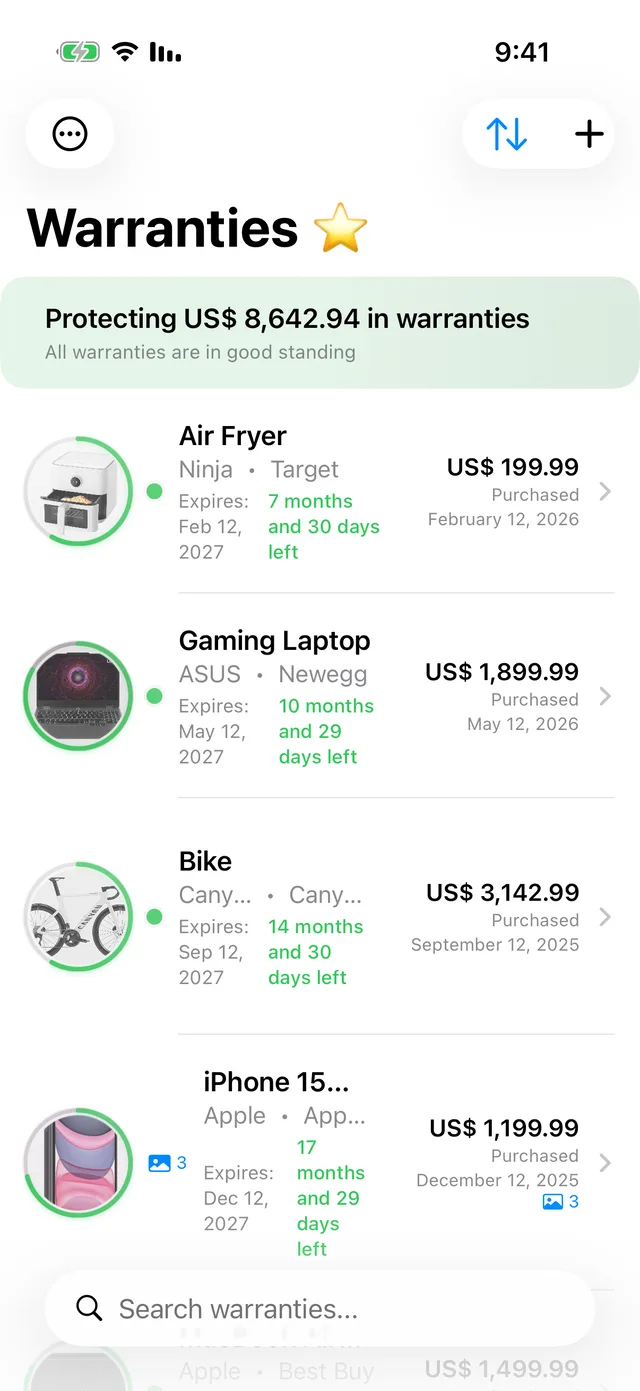
wrnty warranty list protecting over eight thousand dollars in warranties, all in good standing
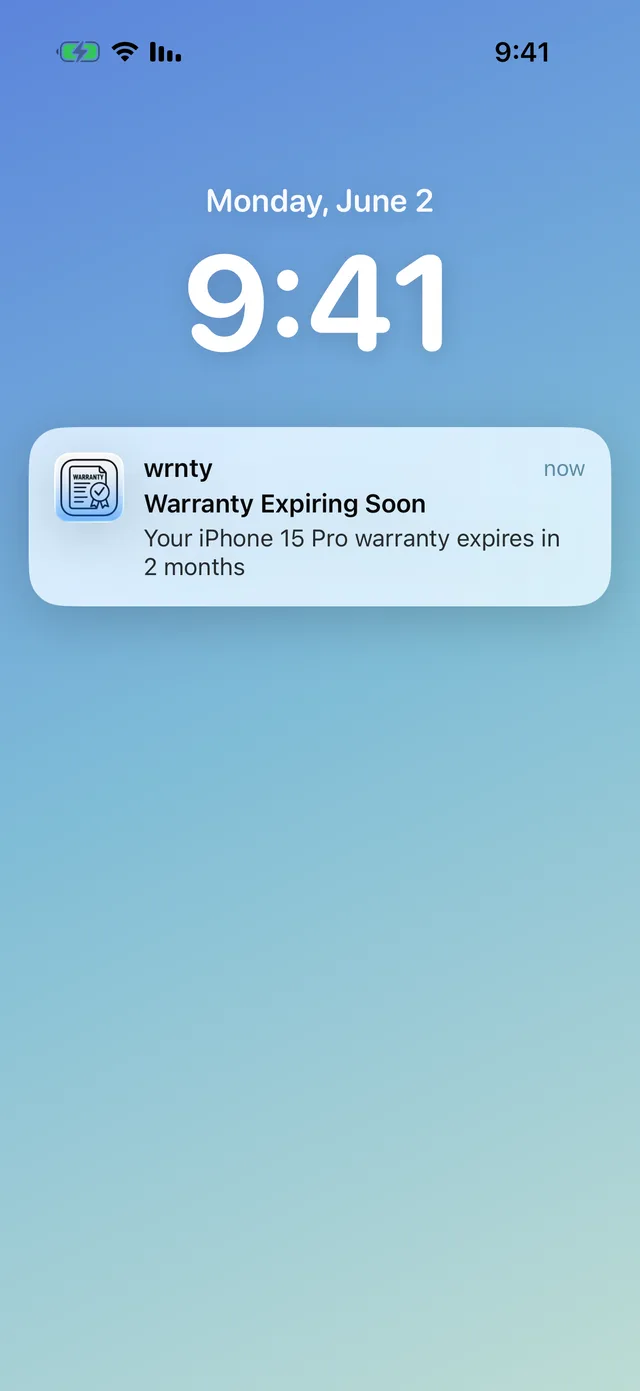
A Lock Screen notification warning that an iPhone 15 Pro warranty expires in two months
  • One-timepurchase, no subscription
  • Secondsto log a warranty
  • Zeroads, trackers or data selling
  • 28languages
The part nobody talks about

It's not the money. It's finding out afterwards.

The washing machine goes. You think it might still be covered, you can't find the receipt, so you pay for the repair.

Three weeks later the receipt turns up in a drawer — four months of cover left.

That's the bit that stings. Not the bill. The fact that you were covered the whole time and didn't know it.

Not ready for an app? Start with what counts as proof of purchase →

Features

Everything a warranty needs, nothing it doesn't

Warranties are written on the assumption you'll forget. Fine print, registration windows, "original proof of purchase required" — two years after you threw the box out. wrnty is the counterweight.

Reminders that reach you

Set the expiry date and wrnty warns you in good time — on your Home and Lock Screen — so you claim while the cover still stands.

Receipts, ready when it breaks

Photograph the receipt, the box, the serial plate. When something fails, the proof is one tap away — not in a drawer somewhere.

Pay once. That's it.

No monthly fee, no annual renewal, no trial that quietly charges you. Buy wrnty once and it stays yours.

Your stuff stays yours

No account, no sign-up. Your warranties live on your device and sync only through your own iCloud — nowhere else.
  • Smart expiry alerts — timed to the warning window you set
  • Receipts & documents — photos and PDFs, as many as an item needs
  • PDF export — a tidy claim pack for insurers and retailers
  • iCloud sync — the same list on your iPhone and iPad
  • Home & Lock Screen widgets — what's expiring, at a glance
  • Spotlight search — jump to a product straight from iOS search
  • Categories, brands & serials — organised the way you shop
  • Dark mode & VoiceOver — native iOS, accessible out of the box
How it works

Three steps. Then you can forget about it.

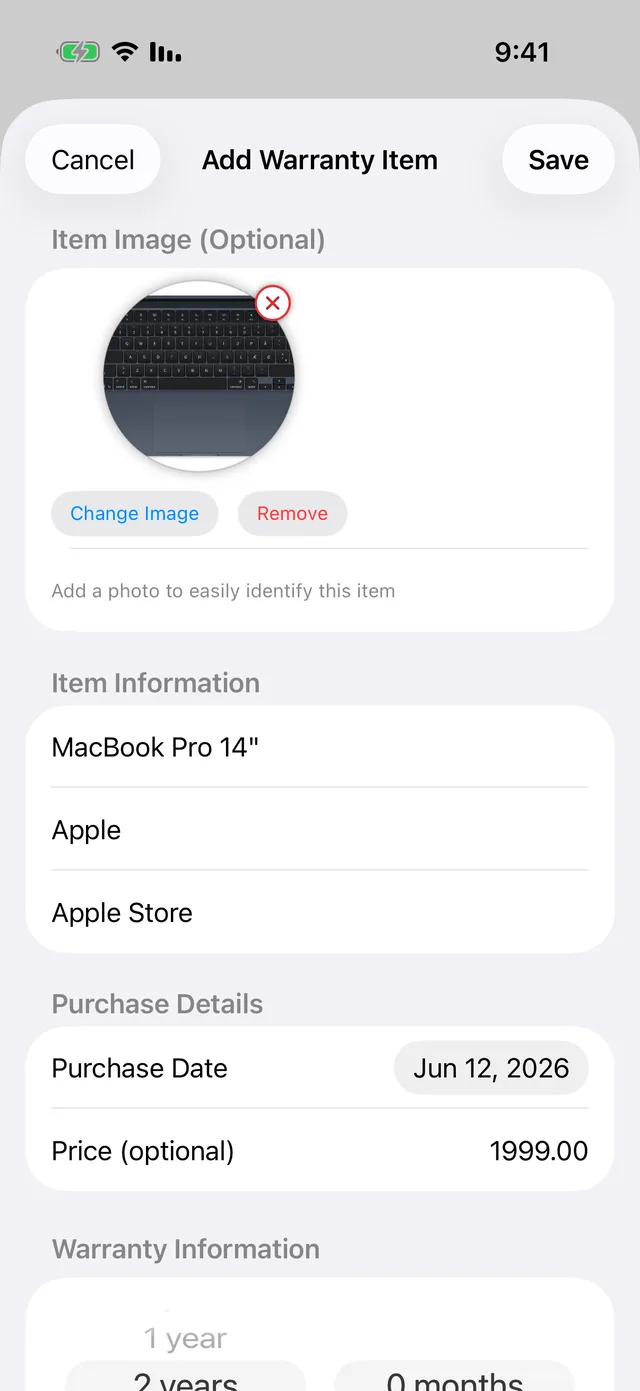
The Add Warranty Item form with a product photo, name, merchant and warranty length

1 Add it

Snap the receipt, set the date

Add a product in seconds: a photo of the receipt, the warranty length, the purchase date. One-tap presets cover the common durations.

A Lock Screen notification: warranty expiring soon, your iPhone 15 Pro warranty expires in two months

2 Get reminded

wrnty watches the clock

As the expiry date nears, a reminder lands on your Home and Lock Screen. No more finding out a week too late.
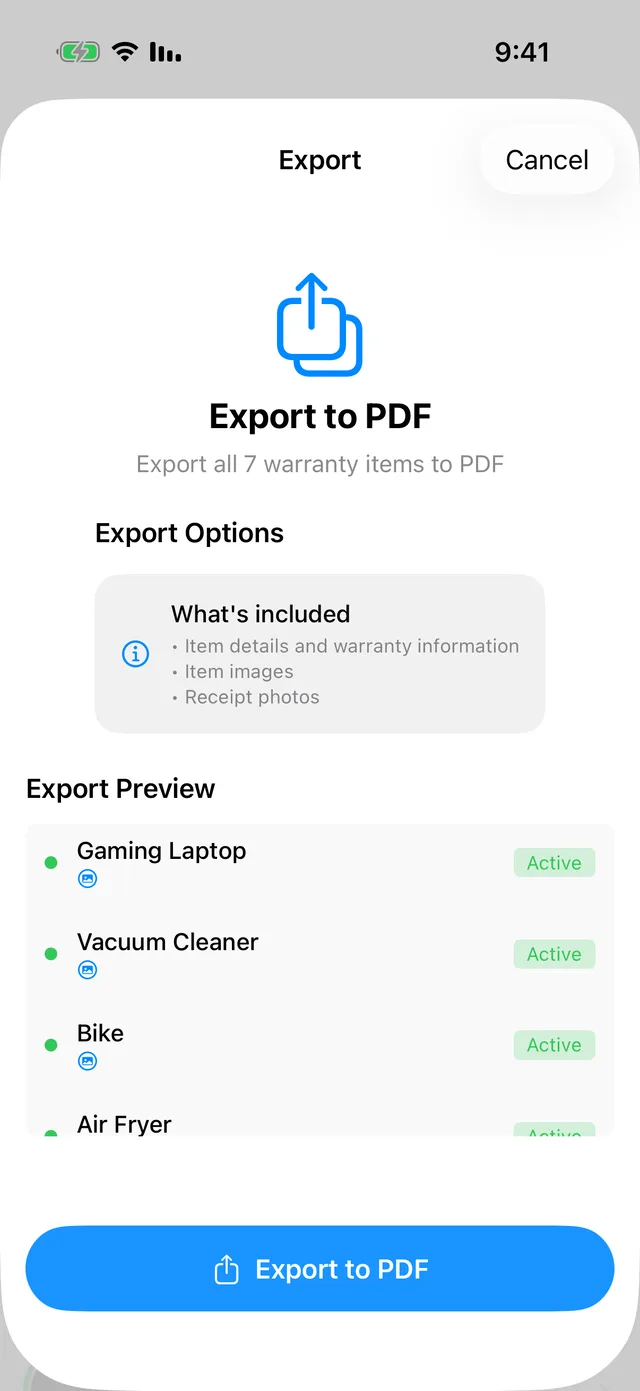
The Export to PDF screen listing warranty items ready to export for a claim

3 Claim on time

Everything ready for the claim

Tap an item for its receipt, serial number and dates — or export a PDF pack for the insurer. Cover used, money saved.

At a glance

See what's expiring without opening the app

The whole point of wrnty is that you don't have to think about it — until it's worth thinking about.
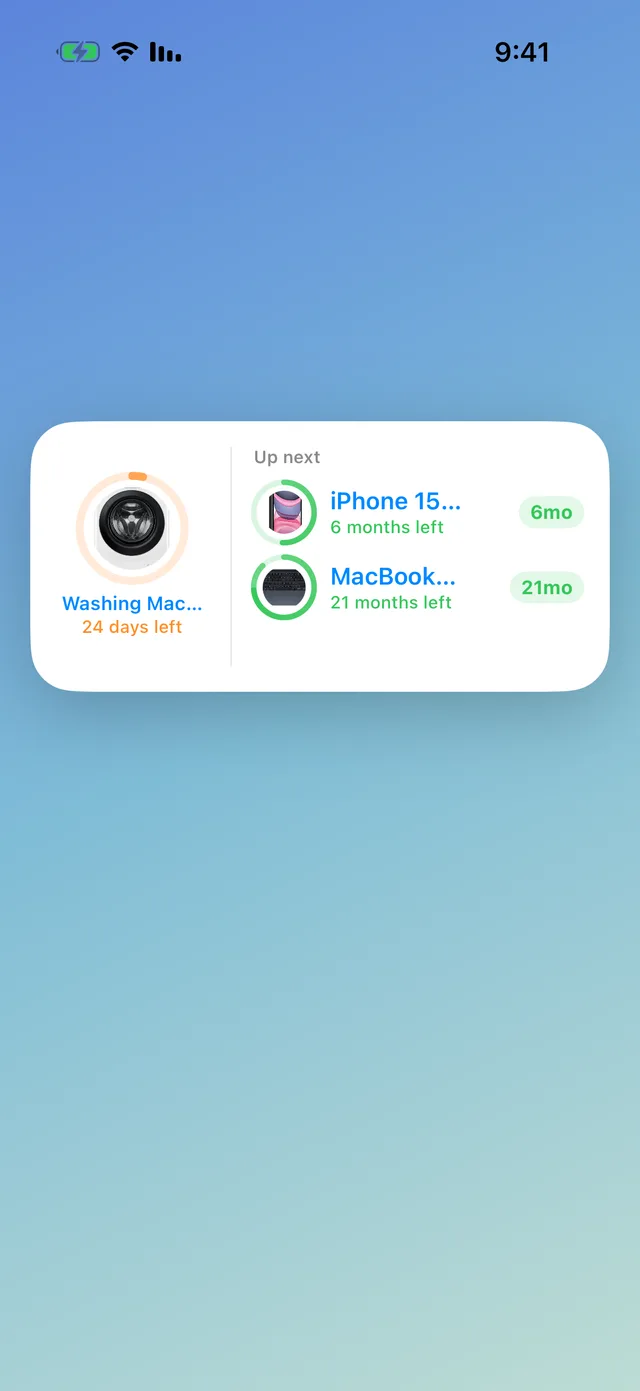
  • Home & Lock Screen widgetsPin what's next and glance at the days left, no tapping in.
  • A running totalSee the cover you're carrying — "Protecting $8,642.94 in warranties".
  • Sorted your wayBy expiry, price, purchase date or name — due-soon items float to the top.
A Home Screen widget showing upcoming warranty expiries with days remaining
The warranty list with a running total of protected value and mastery of each item's status
What changes

The version of this where nothing goes wrong

Two years from now the fridge packs up anyway. Here is how that afternoon goes instead.

You, on the day

You're the one who kept it

The engineer asks when you bought it. You know — to the day, with the receipt on screen before they've finished the sentence.

What you own

Everything still under cover, in one list

Not a guess and not a drawer. The things that are still guaranteed, what they cost, and how long is left on each.

What you stop carrying

Nothing left to remember

No date to hold in your head, no box to keep just in case, and nothing to feel stupid about three weeks later.
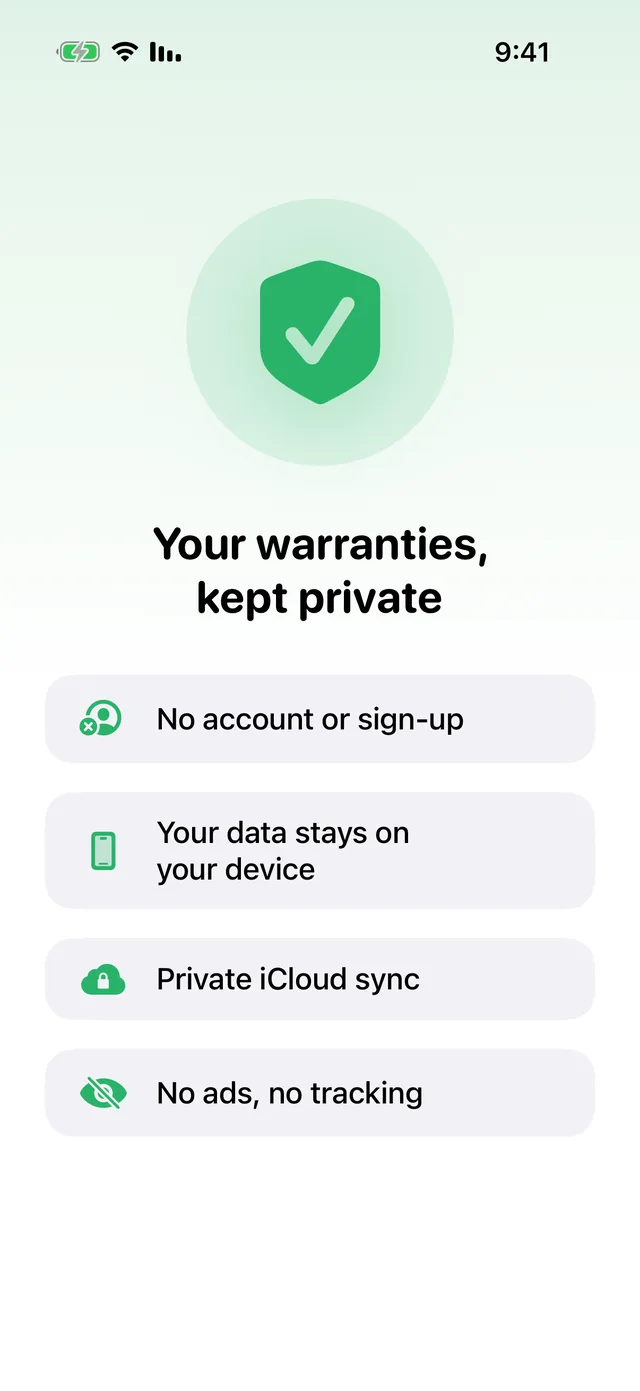
A privacy screen: no account or sign-up, your data stays on your device, private iCloud sync, no ads or tracking
Privacy

Private by design, not as a setting

Your receipts are a map of what you own and what it cost. wrnty treats them that way.

  • No account, no sign-upNothing to create, nothing to forget, nothing to breach.
  • Stays on your deviceStored locally and synced only through your personal, end-to-end encrypted iCloud.
  • No ads, no tracking, no sellingAny analytics are anonymous and optional — off with one tap. GDPR compliant, built in Denmark.

Built in Denmark by 12F ApS — a registered company (CVR 45362957) with a named person answerable for every word on this site. We don't run ads, don't sell data, and don't publish reviews we haven't received. When there are real ones, you'll see those instead.

The difference

A drawer of receipts vs. wrnty

The receipts you keep only matter if you can find them — and remember the date before it passes.

Keeping warranties by hand compared with wrnty
  By hand With wrnty
Finding a receipt two years later Dig through a drawer or inbox One tap on the item
Remembering an expiry date You don't — until it's passed A reminder before it lapses
Proof for a claim Hope you kept the box Export a PDF in seconds
Across your devices Whichever drawer it's in Synced through your iCloud
Knowing what you're covered for A rough guess A running total, itemised
What it costs you A missed claim now and then One-time purchase
Who it's for

For everyone who buys things that break

Different purchases, same story: the guarantee outlives your memory of it.

The gadget owner

Phones, laptops, headphones, cameras. The expensive things tend to fail just after the year is up — unless something is quietly counting the days for you.

Electronics

The homeowner

Fridge, washer, dryer, dishwasher, the new sofa. Big-ticket buys with multi-year guarantees you will never remember unaided.

Appliances & home

The one who keeps receipts

Extended plans, business kit, power tools. If you already pay for protection, wrnty makes sure you can actually use it when it counts.

Extended warranties
Pricing

Free to start. One-time upgrade if you want more.

No card to start, no countdown. Upgrade only when two items stop being enough.

Free

Free

Enough to protect the things that matter most.

  • Track up to 2 warranty items
  • Photos of receipts & proof of purchase
  • Product details, serial numbers & categories
  • Organise by brand, category & date
Start free
One-time

Premium

Pay once

Buy it once, keep it. No subscription, ever.

  • Unlimited warranty items
  • Expiry alerts on Home & Lock Screen
  • Export to PDF for claims
  • iCloud sync, plus share & print
Get wrnty

Premium is a one-time in-app purchase — the current price is shown in the App Store. No subscription, ever.

What we commit to

  • Pay once. No subscription, no renewal, no trial that turns into a charge.
  • No account. Nothing to sign up for, nothing to breach.
  • Your data stays yours. On your device, synced only through your own iCloud.
  • Try before you pay. Two items free — no card, no countdown.
  • We answer. One inbox, read by the people who build the app.
FAQ

Fair questions

Is wrnty free?
Yes — you can track up to two warranties for free, with receipts, product details and organisation all included. Premium is a one-time purchase (no subscription) that removes the item limit and adds expiry alerts, iCloud sync and PDF export.
Is it really a one-time purchase?
Yes. You pay once and it's yours — no monthly fee, no annual renewal, and no free trial that quietly turns into a charge.
Do I need an account?
No. There's no sign-up and nothing to log into. Your warranties stay on your device and sync only through your own iCloud if you choose to turn it on.
Will it remind me before a warranty runs out?
That's the whole idea. Set the expiry date and wrnty alerts you in good time, on your Home and Lock Screen, so you can claim while the cover still stands. Expiry alerts are part of Premium.
Can I use it for insurance and warranty claims?
Yes. Keep the receipt, serial number and photos on each item, then export a tidy PDF pack when you need to make a claim to a retailer or insurer.
Which devices does it need?
wrnty runs on iPhone and iPad with iOS 17 or later, and syncs between your devices through iCloud. Your data stays private — see the privacy policy.
From the blog

Get more from your guarantees

Short, practical reads on warranties, receipts and buying smart.
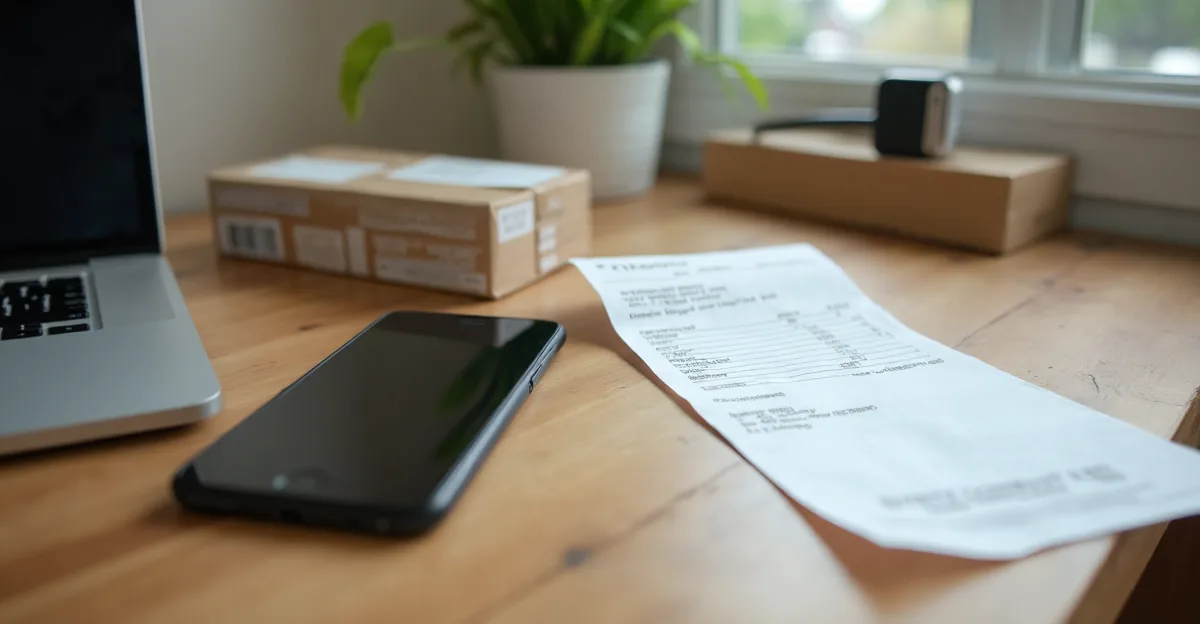
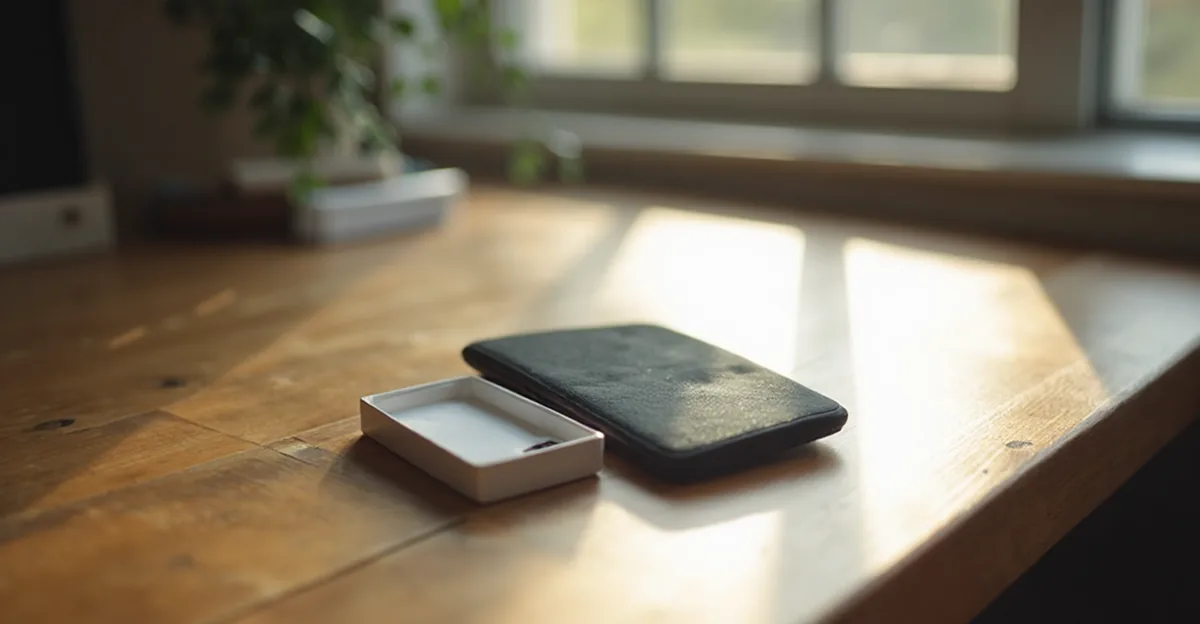
A new phone and its open box on a wooden desk beside a small printed card, soft window light

Is AppleCare worth it? What phone and laptop warranties actually cover

You are at the counter with a new phone or laptop, and the protection plan is on the table. Before you say yes, here is what the warranty you already have covers, what it does not, and how to decide whether the plan earns its price.

Read it →

A stack of paper receipts and a card box on a wooden desk beside a closed laptop, in soft morning light

Consumer rights when something breaks — beyond the warranty

When something breaks, people reach for the warranty first — and stop there. But in many countries you also have a separate statutory right against the seller, and it can outlast the warranty.

Read it →

Read the warranty guides →Free, cited, and useful whether or not you ever install anything.

The next warranty you forget
could be an expensive one.

Or it could be the one you claim without a second thought — because something was quietly counting the days. Add one product and find out which.

Requires iOS 17 or later · iPhone and iPad